HarmonyOS Hand-Eye Collaboration (2025)
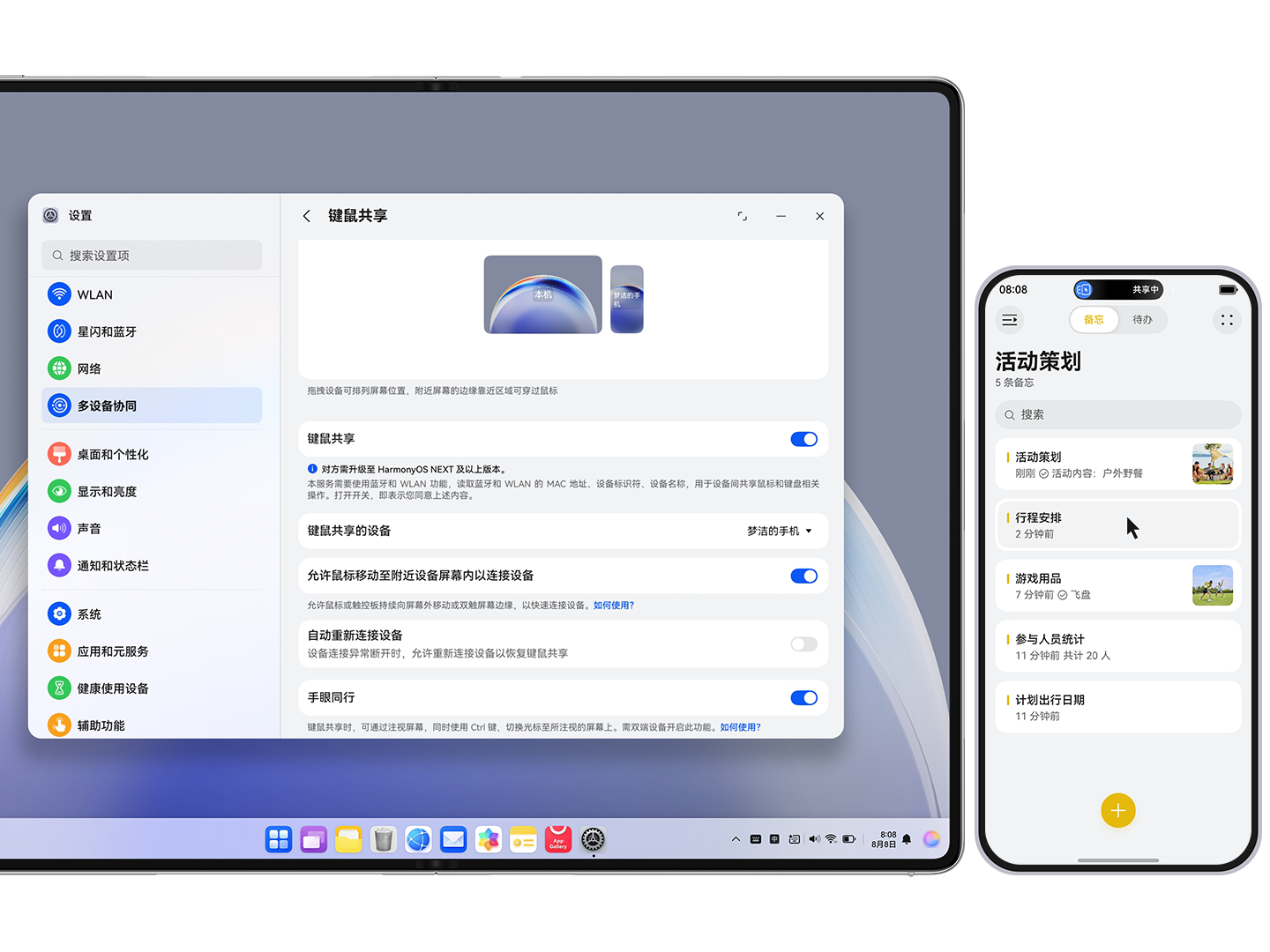
Switch cursor to the looked-at device with Ctrl during keyboard-mouse sharing.
HarmonyOS Hand-Eye Collaboration
This project extends cross-device keyboard and mouse sharing in HarmonyOS with gaze-assisted cursor switching. During keyboard-mouse sharing, users can look at another nearby screen and press Ctrl to move the cursor focus to that device, reducing manual boundary-crossing operations in multi-screen workflows.
Demo Video
Feature Highlights
- When keyboard-mouse sharing is enabled, gaze at the target device and press Ctrl to transfer cursor focus.
- Works with cross-device keyboard typing, app operation, and drag-and-drop workflows.
- Improves continuity and speed in multi-device office and content-creation scenarios.
Setup Path
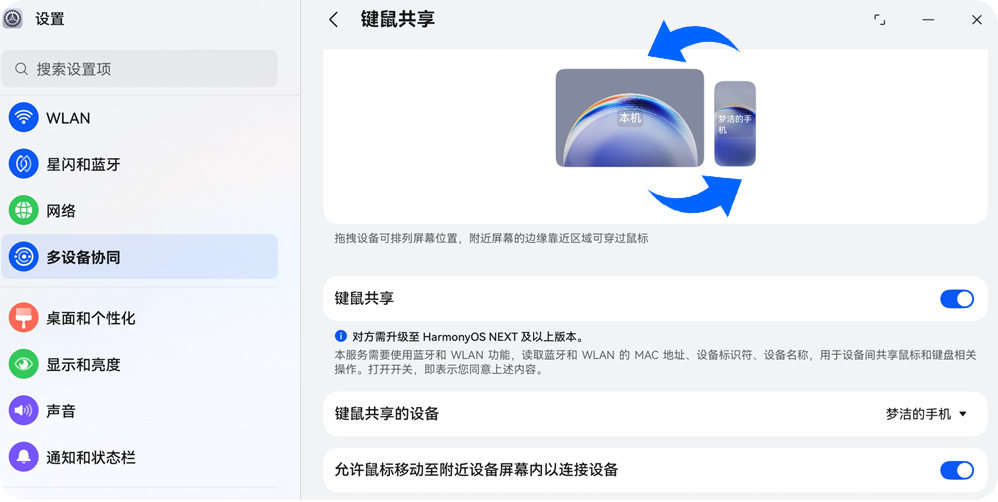
- Enable Keyboard-Mouse Sharing on both devices (Settings > Multi-device > Keyboard-Mouse Sharing).
- On both devices, turn on Hand-Eye Collaboration under keyboard-mouse sharing settings.
- Adjust screen arrangement direction to match actual physical layout.
- Look at the target device, then press Ctrl on the source device to switch cursor focus.
Gallery