Keyboard & Mouse Cross-Device Roaming (2021, 2025)
Cursor boundary crossing across up to 3 hosts with keyboard-mouse collaboration.
Keyboard & Mouse Cross-Device Roaming
I led and delivered a cross-device interaction experience that allows HUAWEI wireless mouse and keyboard to roam across multiple hosts. After pairing with multiple tablets/PCs, users can move the mouse across screen boundaries to switch devices instantly, and the keyboard follows the mouse focus automatically for seamless multi-device productivity.
Demo Video
Core Capability
- Supports up to three hosts (tablet/PC) connected to one mouse and one keyboard.
- Mouse cursor crosses device boundaries directly without pressing a manual switch key.
- Keyboard follows the active mouse target automatically, enabling true keyboard-mouse collaboration.
Compatibility And Version Requirements
- Tablet: Bluetooth 5.0+, HarmonyOS 3.0 to HarmonyOS 5.0, Smart Life App 13.0.1.315+.
- Supported HUAWEI Windows PC: Bluetooth 5.0+, PC Manager 13.0.2.300+.
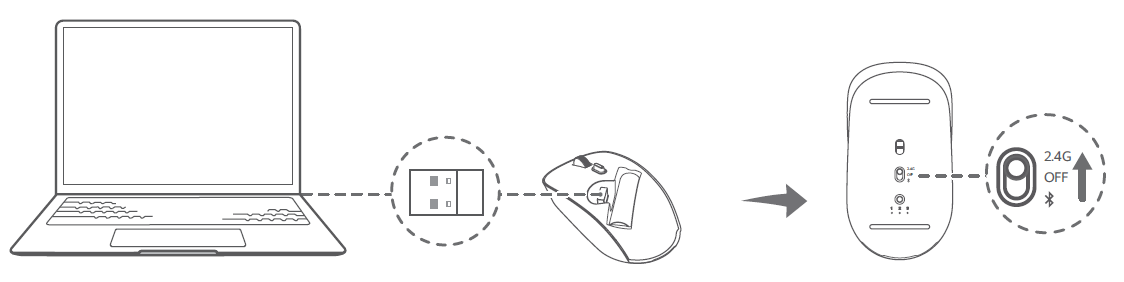
- Other PCs: Windows 10+ or macOS 10.15+, with the cross-device client installed.
- Firmware baseline: mouse 1.0.7.0+, 2.4G receiver 1.0.1.9+, keyboard X.0.0.158+.
- HarmonyOS 3.0 beta preview does not support this feature; HarmonyOS 3.0 official release does.
Configuration Flow
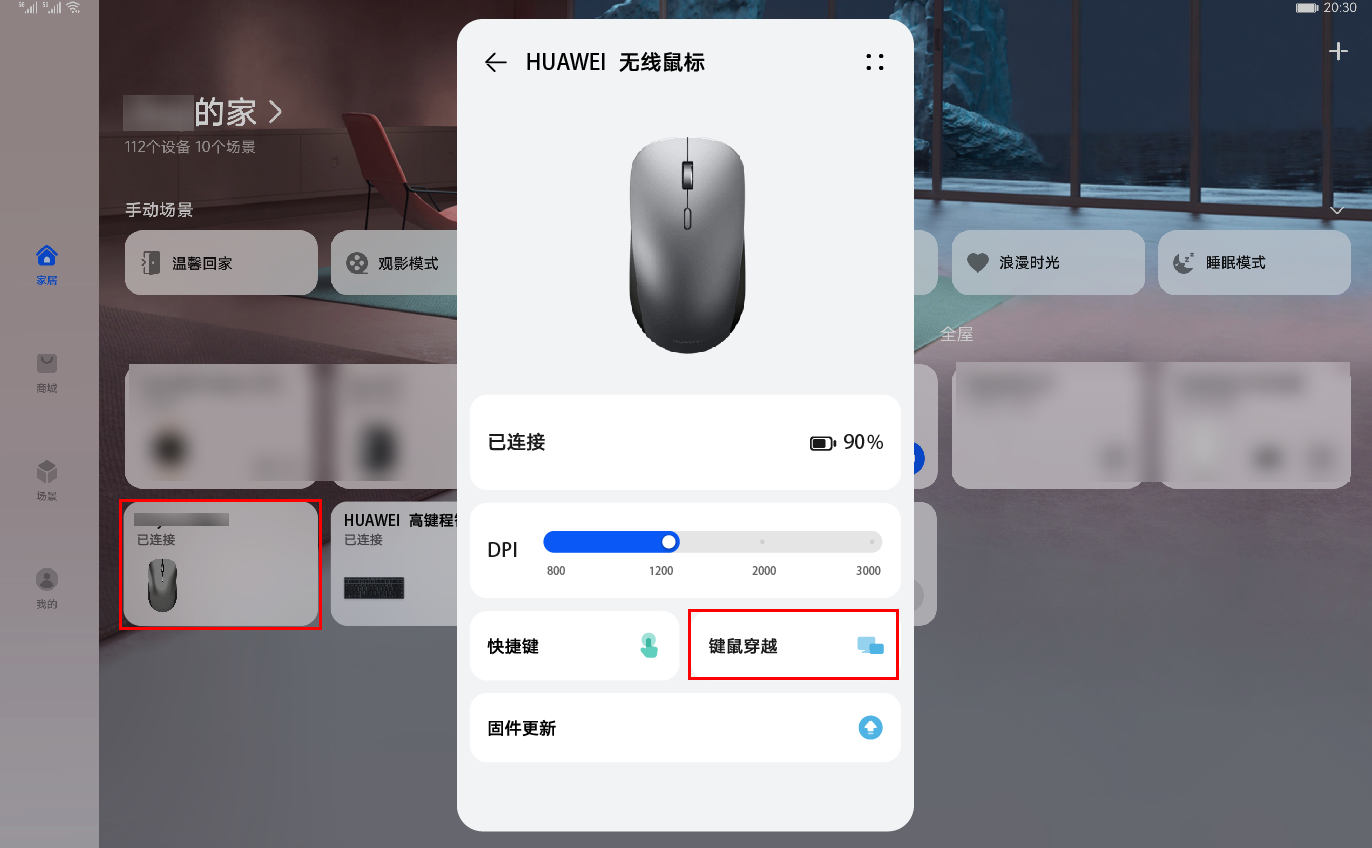
- Upgrade required apps/clients and verify host Bluetooth capability.
- Pair mouse/keyboard with one host, then complete peripheral firmware upgrade.
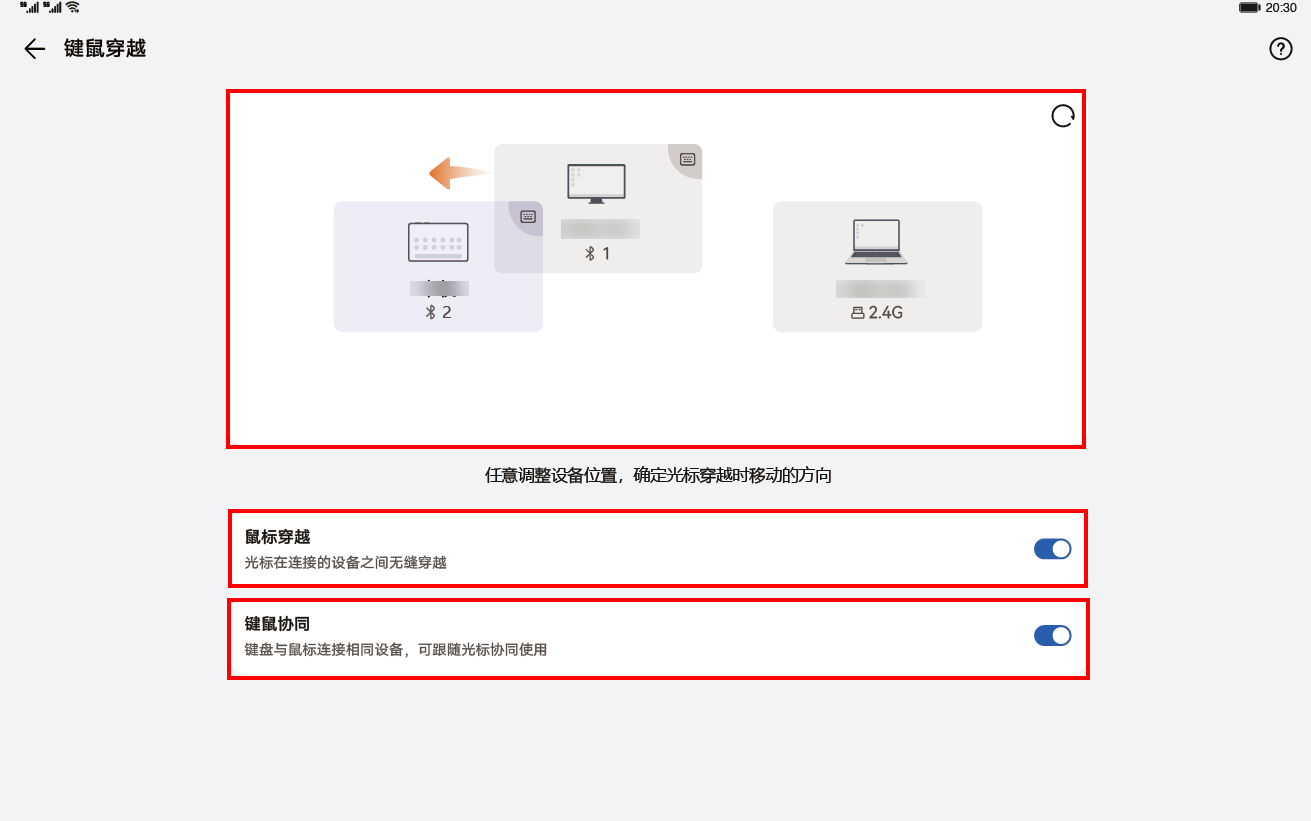
- Repeat pairing for remaining hosts, then enable Mouse Roaming and Keyboard-Mouse Collaboration in device settings.
- Adjust relative host positions in UI and validate boundary crossing in real usage.
Gallery
User Value
This feature removes device-switch friction in daily workflows. It provides a natural cross-screen interaction model for office, study, and content creation scenarios, reducing context-switch overhead and improving multi-device efficiency.